Heart rate straps
You can use a Bluetooth chest strap instead of the wrist sensor, which tends to be less accurate in short efforts and in the cold.
Turning on the external sensor
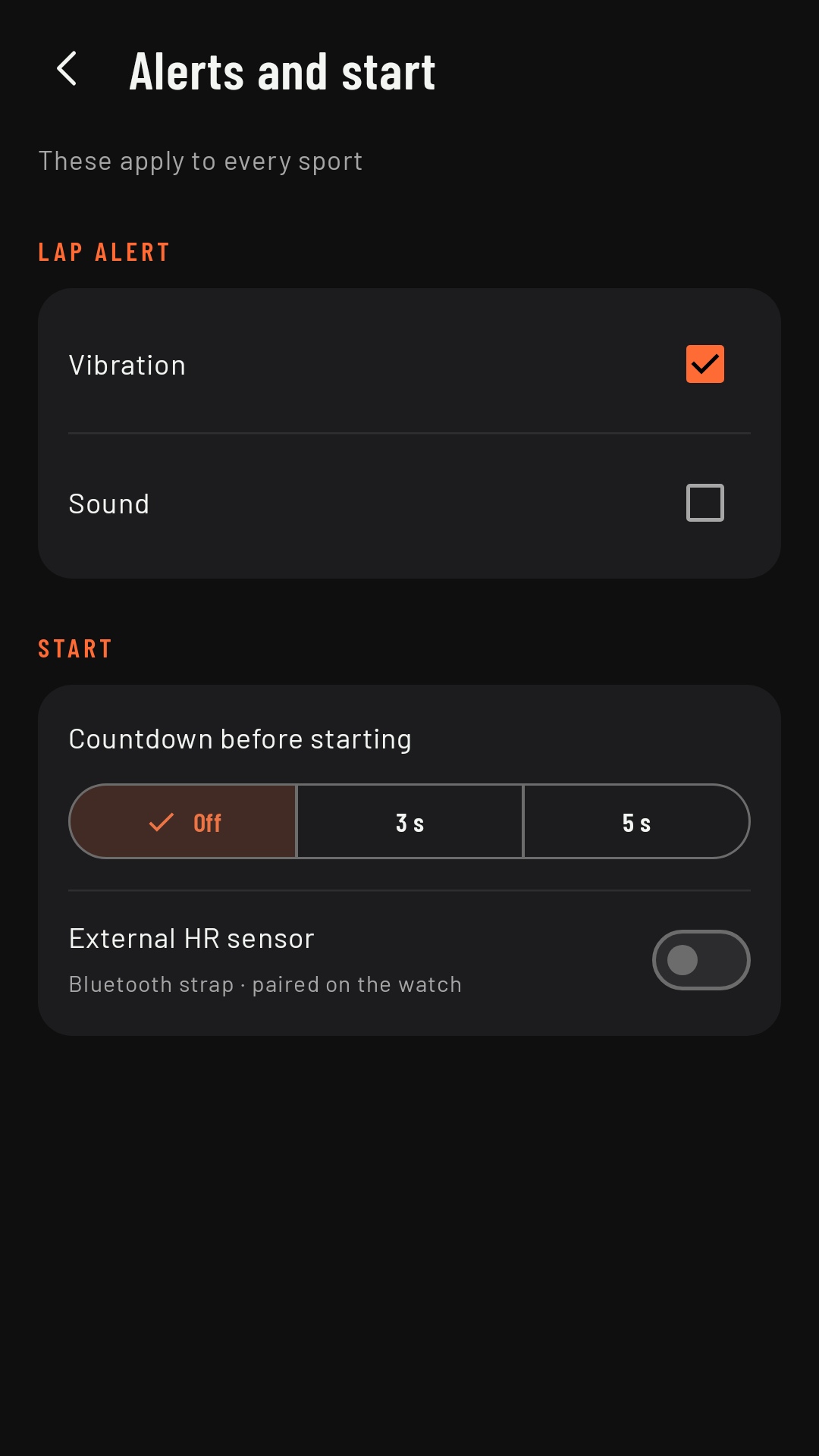
On the phone, Settings › Alerts and start › External HR sensor. While it’s off, the watch always uses the wrist sensor.
Pairing on the watch
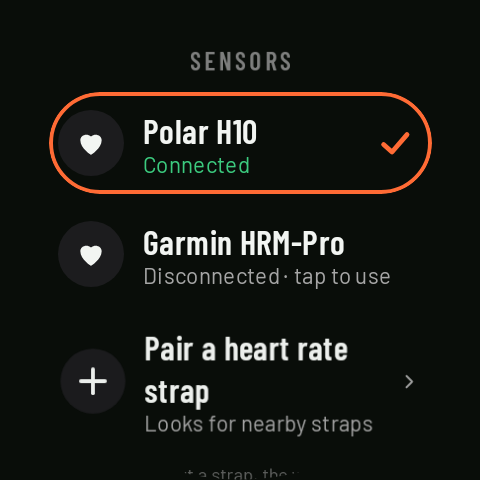
The strap is paired on the watch, not on the phone: on the home screen, Sensors › Pair a heart rate strap, with the strap on (many only switch on when they feel skin contact). Each paired strap shows its status (“Connected”, “Disconnected · reconnecting” or “Disconnected · tap to use”); one tap chooses which one is used, and another tap on the one in use opens its details, with Forget strap.
If the strap stops sending data
With the strap connected, RawPace uses its heart rate rather than the wrist’s. If the strap stops sending data for 10 seconds (it’s slipped, the contact has dried out…), the wrist sensor takes over, and as soon as the strap is back, the strap takes over again. Below START you’ll see “No strap: wrist heart rate” if the watch doesn’t have the Bluetooth permission.