Reminders
Coming in 0.3Reminders nudge you during an activity about the things you don’t want to forget: drinking, eating, taking a gel… every so often or every so many kilometers.
Lists
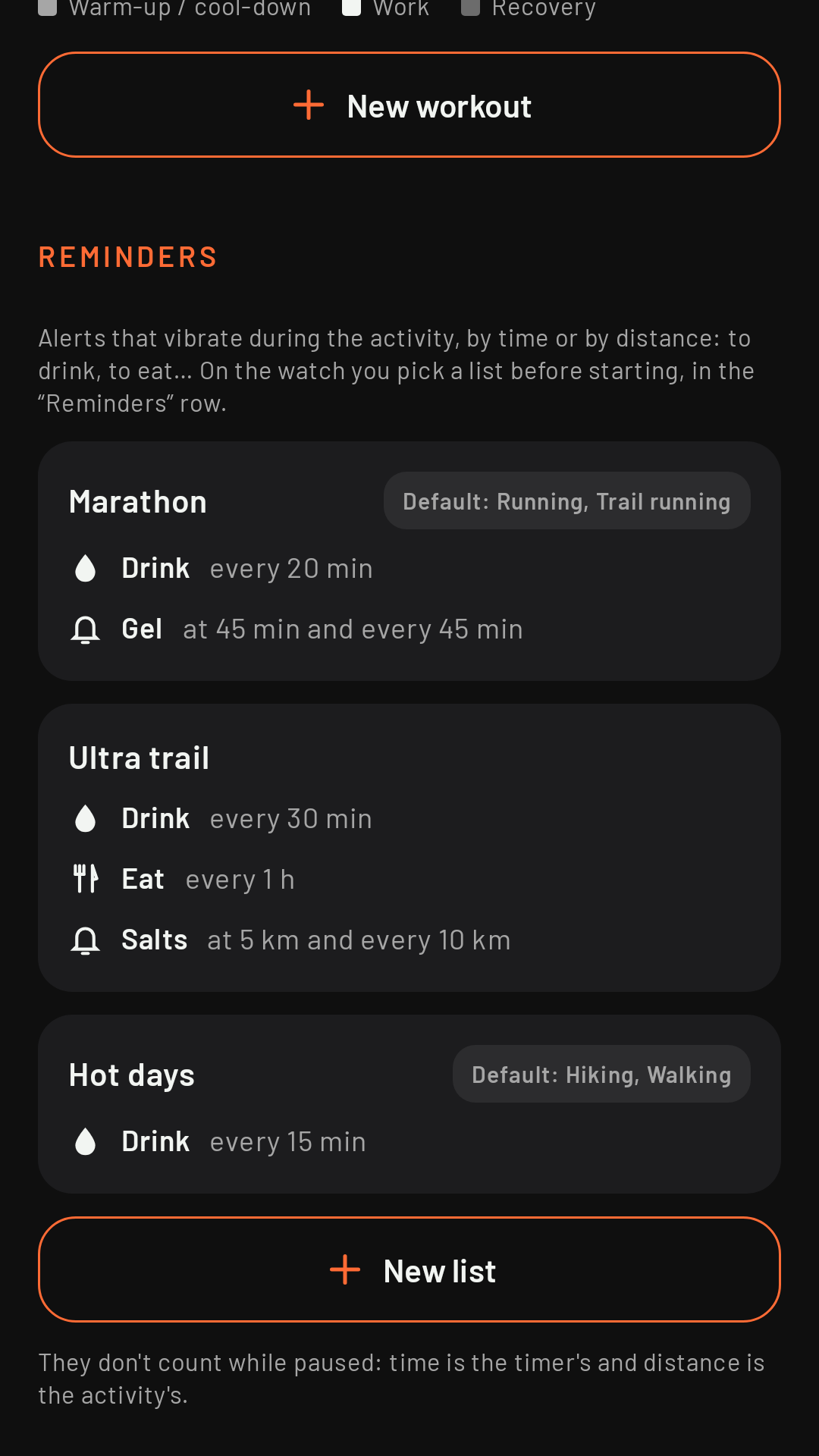
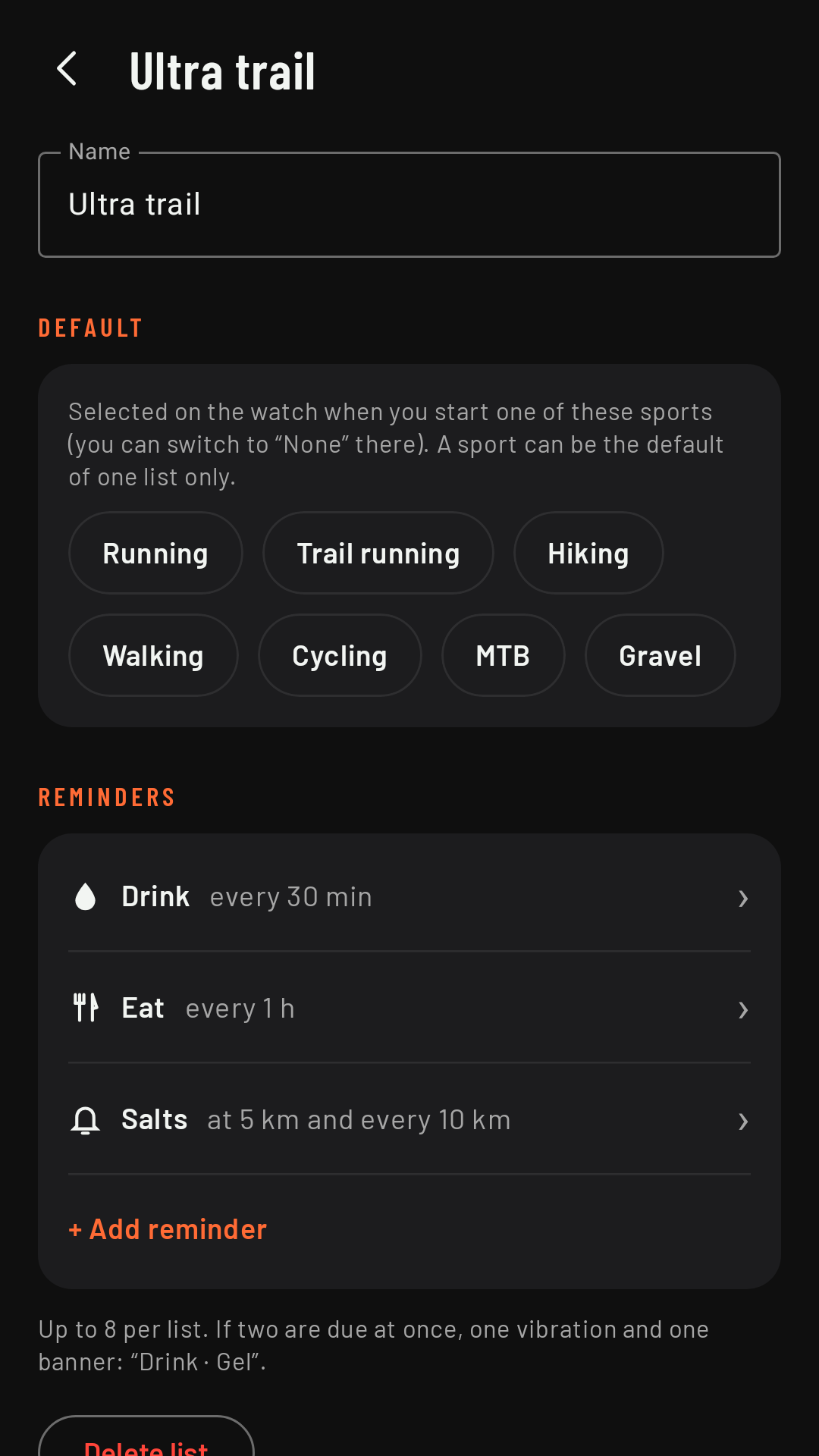
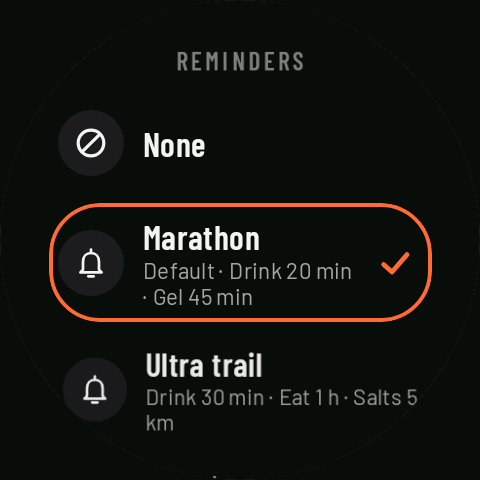
Reminders are grouped into lists, for example “Marathon” (drink every 20 min, gel at 45 min and then every 45 min) or “Hot days”. You create them on the phone, in the Workouts tab, Reminders section, with + New list. Each list has a name and up to 8 reminders.
Each reminder
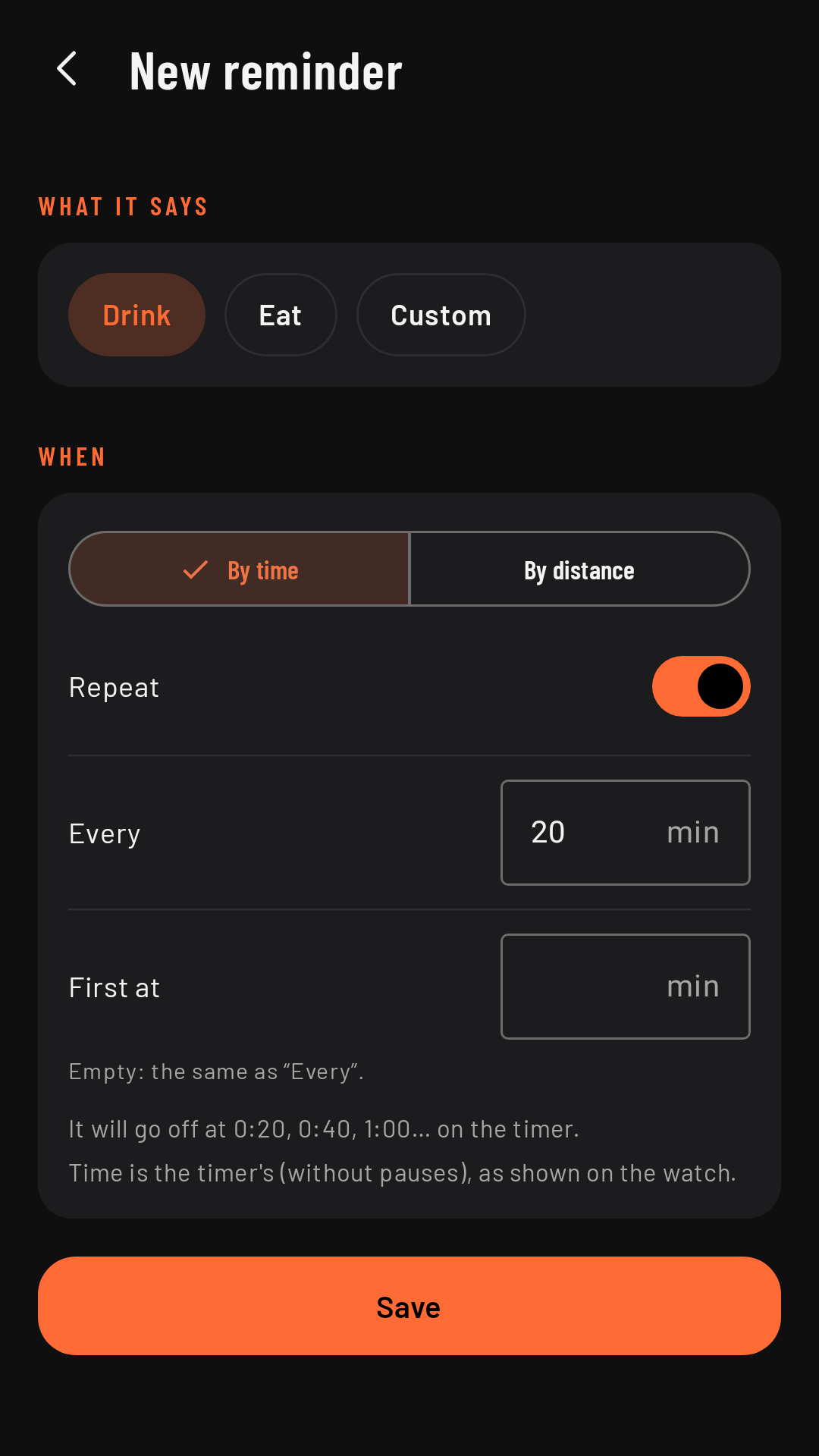
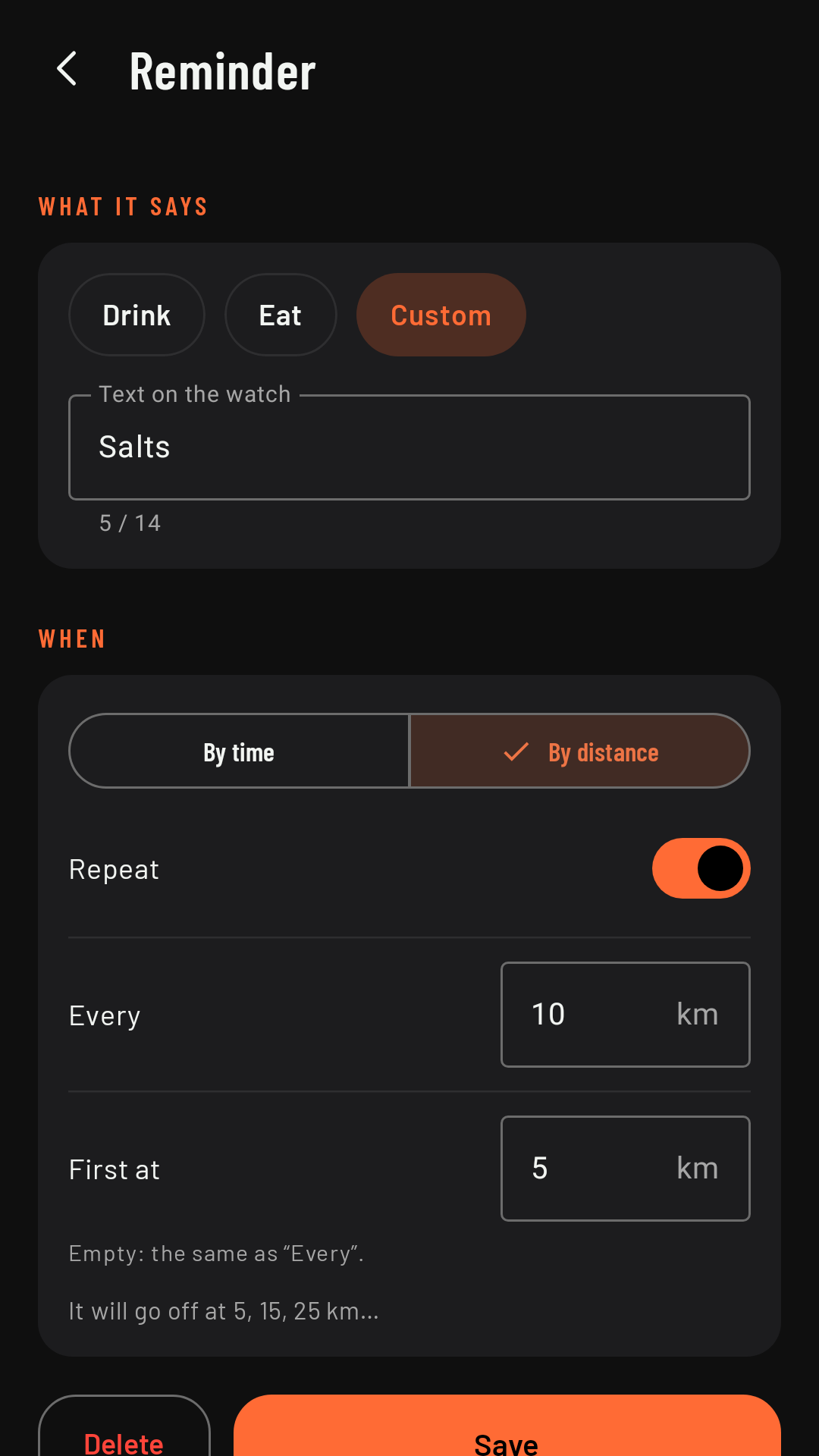
- What it says: Drink or Eat (with their icon, and translated if the watch is in Spanish), or a Custom text of up to 14 characters, shown exactly as you type it (“Gel”, “Salts”, “Check route”…).
- When: By time (every N minutes) or By distance (every N km or mi).
- Repeat: whether it repeats or goes off just once.
- First at: when it goes off the first time; leave it empty for the same as “Every”.
Below, the app tells you when it will go off (“It will go off at 5, 15, 25 km…”).
Choosing a list
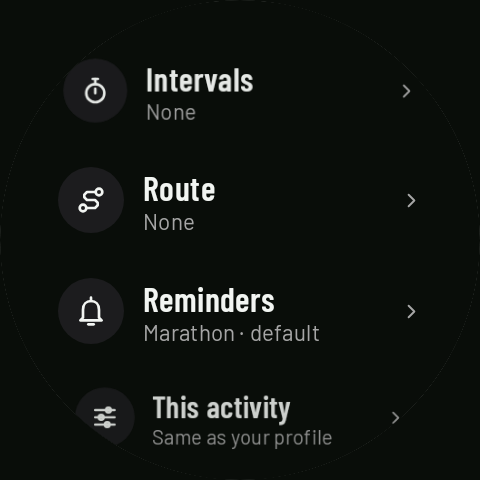
Before you start, on the watch home screen, the Reminders row lets you pick a list or None. If you want a list to be already selected for a sport, mark it on the phone as the Default for that sport (for example, “Marathon” as the default for Running and Trail running). Each sport can be the default in one list at most; variants don’t inherit their base sport’s list. The chosen list applies to that activity and is cleared when it ends.
During the activity
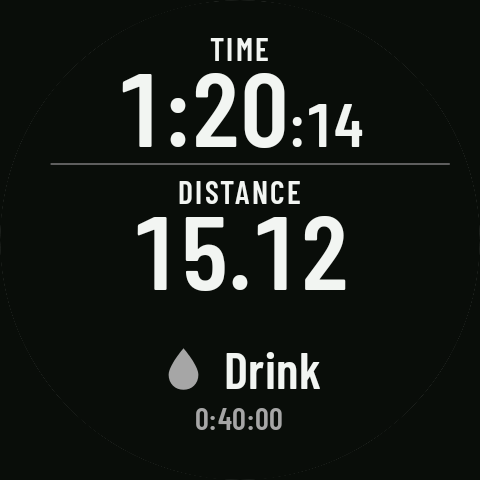
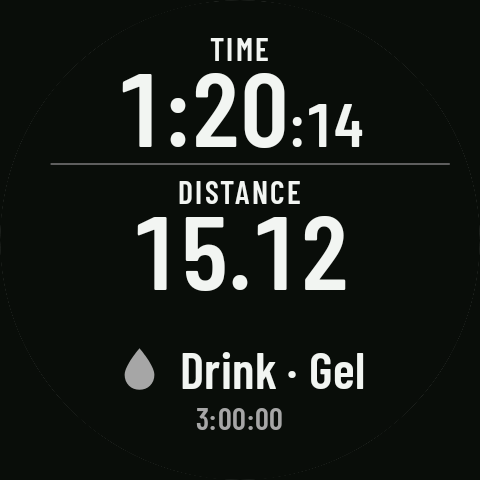
When a reminder is due, the watch vibrates, turns the screen on and shows a banner for about 6 seconds with the icon, the text and when it was due (“Drink”, “0:40:00”). If two are due at once, they share a single alert (“Drink · Gel”). In Controls, the banner appears in the middle strip.
- Time is the activity timer and distance is the activity’s distance: they don’t count while paused.
- A reminder never interrupts another alert (a turn, a lap…): if they clash, it waits until the other one is over.