Pause
Pausing stops everything from counting until you resume. RawPace doesn’t pause on its own: you pause, but it reminds you if you forget.
How to pause
- With a long press on any data page (the watch vibrates), or
- with Pause in Controls, or
- with the watch button (on by default) or a double pinch (off by default), in Advanced › Pause (see Pages and gestures). Coming in 0.3
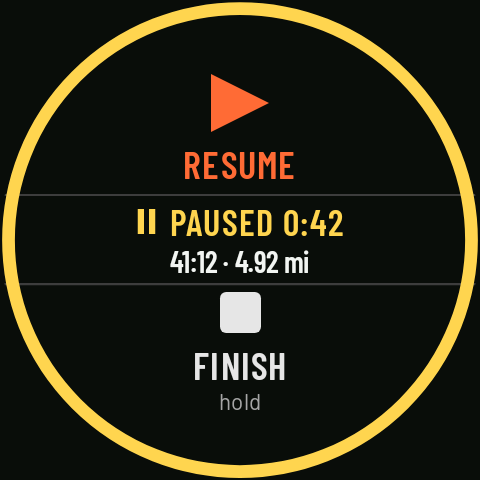
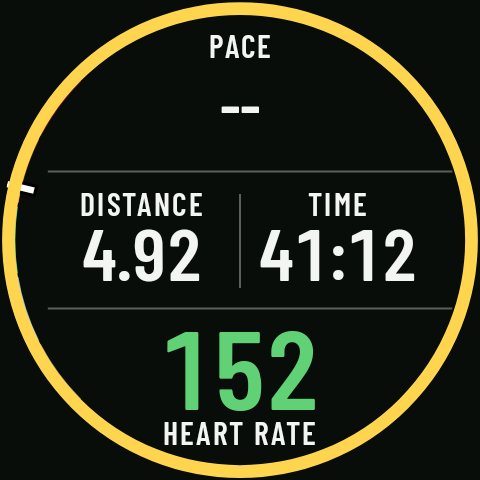
You can’t pause while the screen is locked. When you pause, the watch jumps to Controls while paused: RESUME at the top (one tap), “❚❚ PAUSED” in the middle with how long you’ve been paused (for example, 0:42) and the activity’s time and distance below it, and FINISH at the bottom. While you’re paused, a yellow ring takes the place of the heart rate arc on every page. When you resume, you go back to the last data page you were on. Coming in 0.3
What stops counting
Nothing builds up while you’re paused: no time, no distance, no ascent, no heart rate, and the interval step is frozen. Reminders don’t count either. Coming in 0.3
GPS while paused
Coming in 0.3To save battery, if the pause lasts more than 3 minutes the watch turns GPS off, unless Alert me if I move while paused is on (it is by default): in that case GPS stays on for the whole pause so it can alert you. At 2:40 into the pause you’ll see “GPS off in N s”; tap it and GPS stays on for the rest of that pause. When you resume, GPS comes back on by itself.
No auto-pause
RawPace doesn’t pause on its own when you stop: that way it won’t cut your activity short at a traffic light or on a slow climb, and the time is the time you decide. So you don’t forget, there are two alerts (see Stop alerts): one if you’ve been stopped for a while without pausing, and one if you start moving while the activity is paused. Coming in 0.3
Finishing or discarding
- FINISH (hold 1 s) saves the activity.
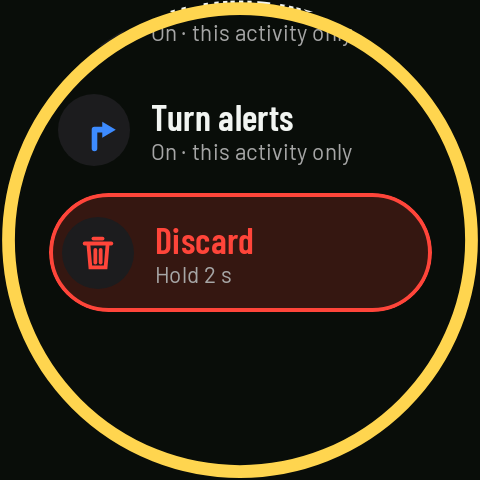
- Discard (hold 2 s; it’s at the end of the Controls list while paused, turning the crown) deletes it without saving.