START and GPS
You can always start, even if GPS isn’t ready: the button tells you when it is, but it never holds you back.
Before you start
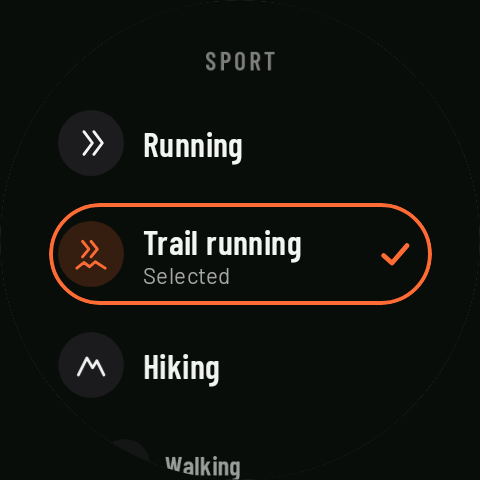
On the watch home screen you pick the sport and, if you want, an interval workout, a route and a reminder list. The sport opens on the last one you used (or on your default sport, if you’ve set one; the first time, on Running) Coming in 0.3; intervals and the route are cleared at the end of each activity, and reminders go back to the sport’s default list (if it has one). Coming in 0.3
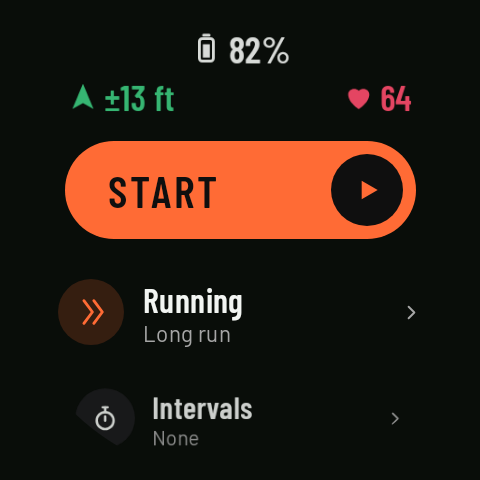
Along the top, in an arc, you see the battery, GPS (“±N m”, the current accuracy) and heart rate.
Gray or orange
- START in gray with “searching for GPS”: the watch doesn’t yet have a position accurate to 8 m or better.
- START in orange: ready to go.
If you start while it’s gray, the activity starts anyway and the first stretch may be measured a little less accurately. Outdoors, GPS is usually ready within a few seconds; it takes longer the first time after many hours or after a long trip, and much longer indoors or between tall buildings.
GPS during the activity
Coming in 0.3If the signal is poor (no position, or an accuracy worse than 20 m), a large red arrow shows in the middle of the screen for a few seconds: at the start, when the signal gets worse during the activity, and when you resume if it’s still poor. It shows at most once every 2 minutes, and never while paused or over a turn or off-route alert.
While the signal stays poor, a small red arrow sits at 12 o’clock, on the edge of Controls and the data pages. It goes away by itself once the accuracy is better than 15 m again.
The countdown
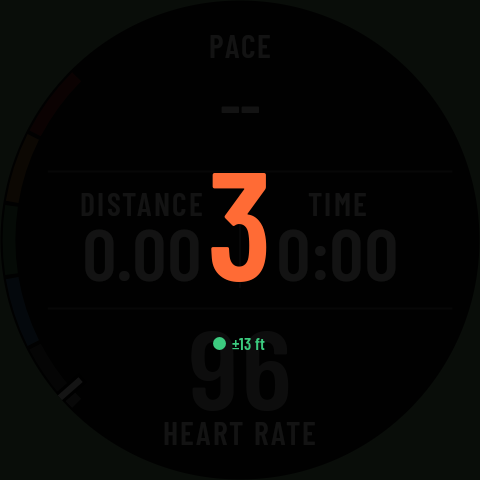
If you’d like a few seconds to get ready, on the phone go to Settings › Alerts and start › Countdown before starting: 3 or 5 s. Nothing is recorded during the countdown, and you can’t pause.
The home screen turns off
If you leave the home screen open for 3 minutes without touching anything, GPS and the screen turn off to save battery. 20 seconds before, the watch vibrates and warns you (“Turning off in N s · Tap to stay on”). If you leave the app without starting, GPS and heart rate turn off straight away.