Intervals
An interval workout is a session built from steps (warm-up, work intervals, recoveries…) that the watch talks you through, with a target for each step and alerts if you drift off it.
Creating a workout
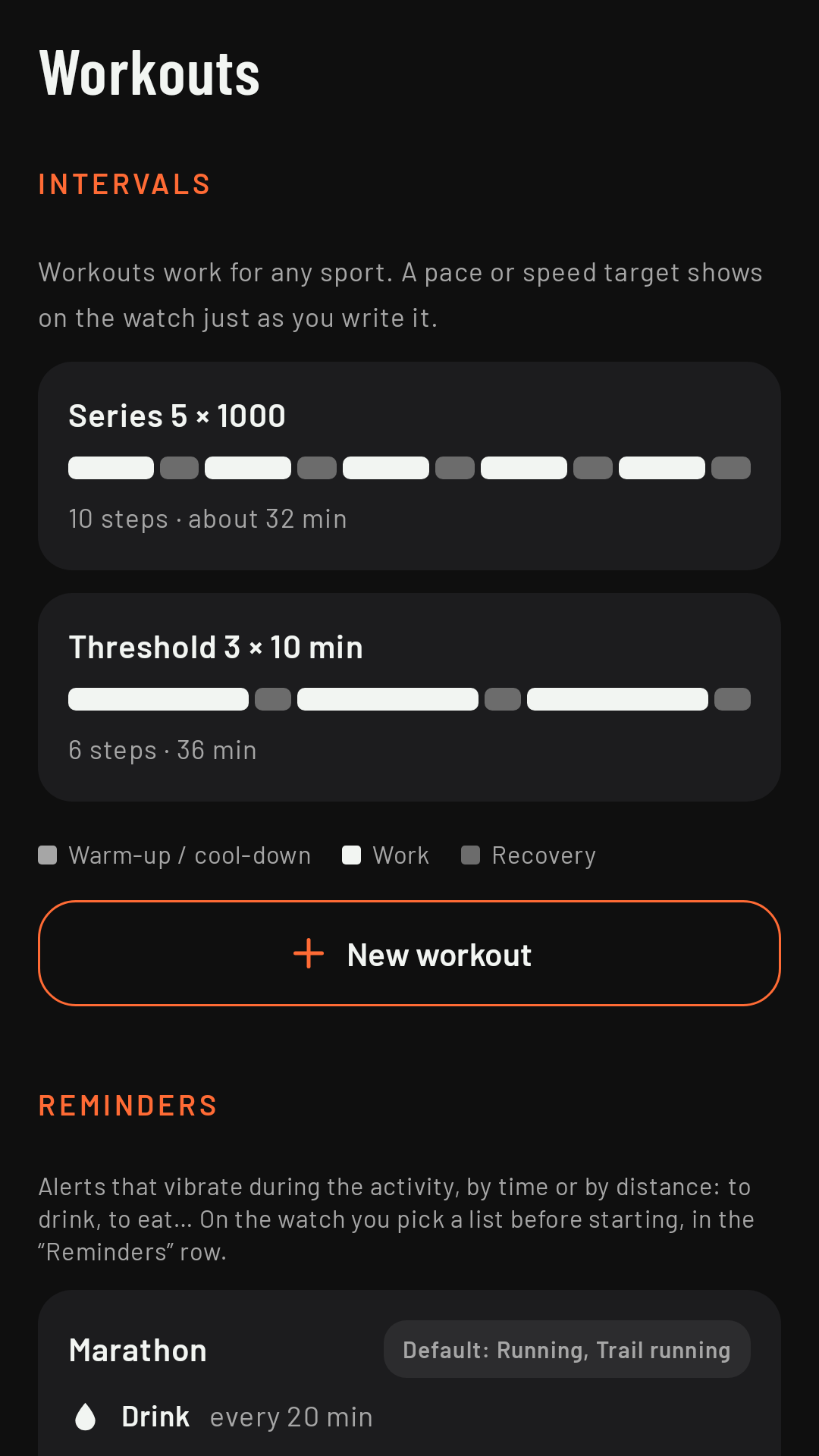
On the phone, Workouts tab (formerly Intervals), Intervals section, + New workout: Coming in 0.3
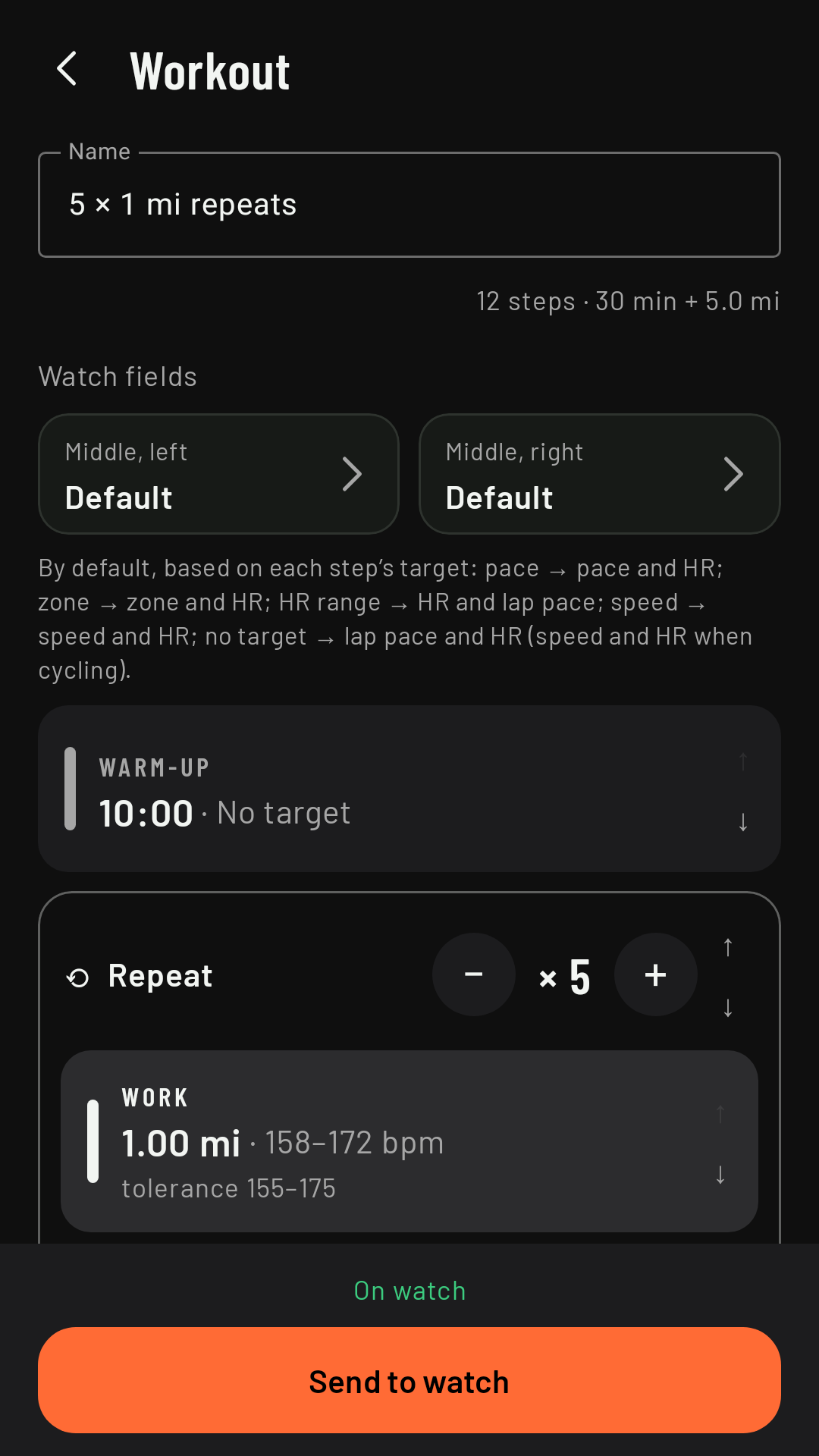
- The workout’s Name.
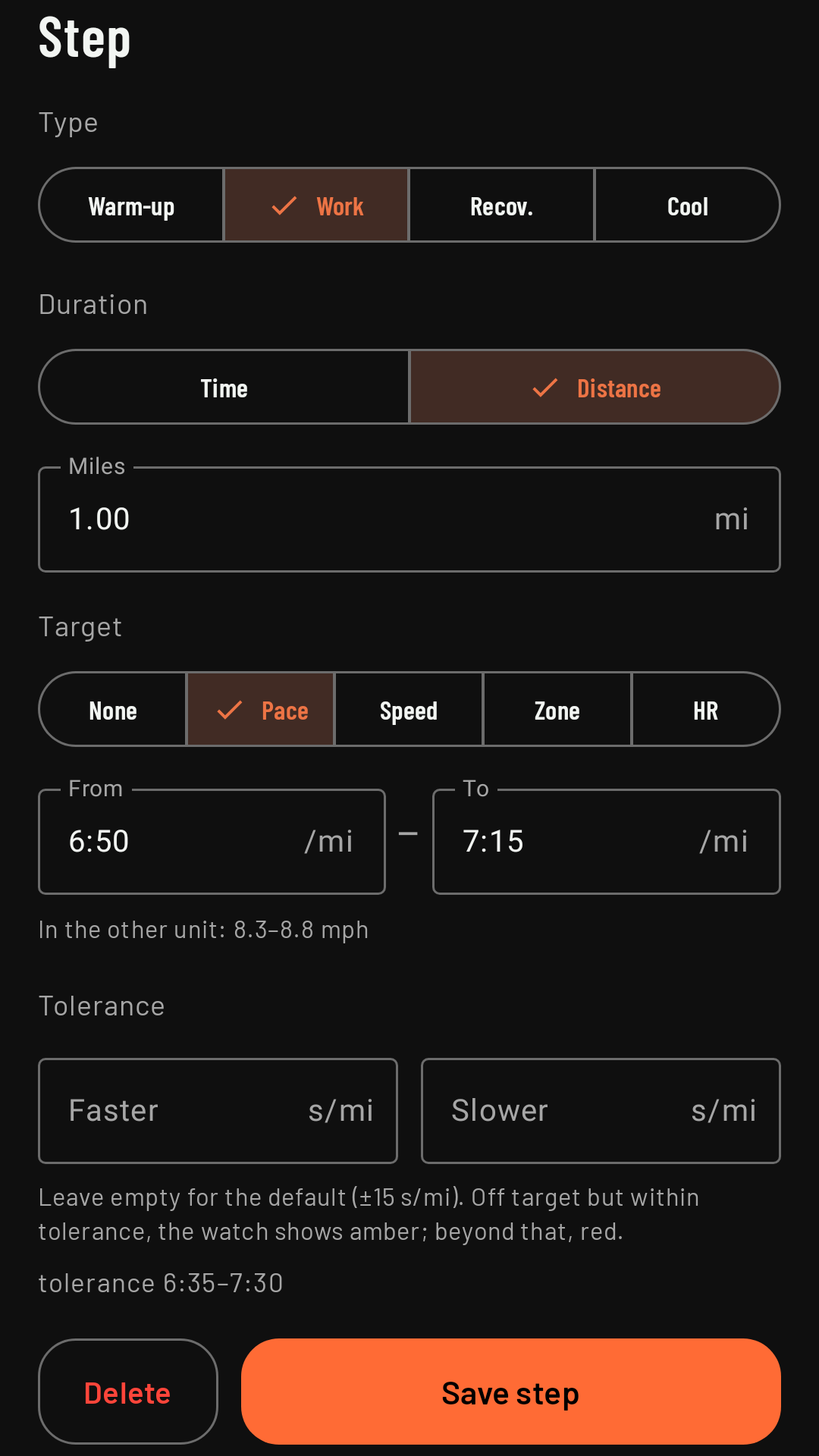
- + Step: each step has a type (Warm-up, Work, Recovery or Cool-down), a duration by time (up to 99:59) or by distance, and, if you like, a target.
- + Repeat: groups steps that repeat (for example, 6 × [400 m work + 200 m recovery]), with the number of times. The arrows change the order.
- Watch fields: the two fields you’ll see on the intervals page, on top of the step, what’s left and the target; by default, the ones that suit each step’s target.
- Send to watch. Each workout’s status tells you whether it’s “On watch”, has “Unsent changes” or is “Phone only”.
Workouts don’t belong to a sport: they work for any of them. A pace or speed target shows on the watch exactly as you enter it; the editor tells you what it works out to in the other unit. Coming in 0.3
Targets and tolerance
Each step can have a target: pace, speed, heart rate zone (1 to 5) or heart rate (a range in bpm); pace, speed and heart rate take a From and a To. The tolerance is the margin allowed on each side before you get an alert; leave it empty to use the default: ±10 s/km for pace, ±2 km/h for speed, and ±3 bpm for heart rate and zones.
Choosing it on the watch
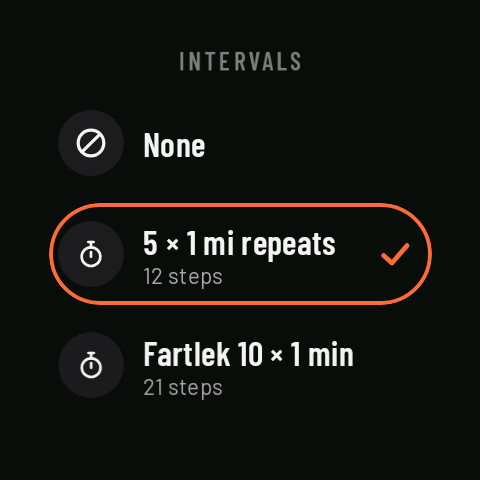
On the home screen, Intervals, before you start. The chosen workout applies to that activity and is cleared when it ends. The watch doesn’t edit workouts: if you want to change something, do it on the phone.
The intervals page
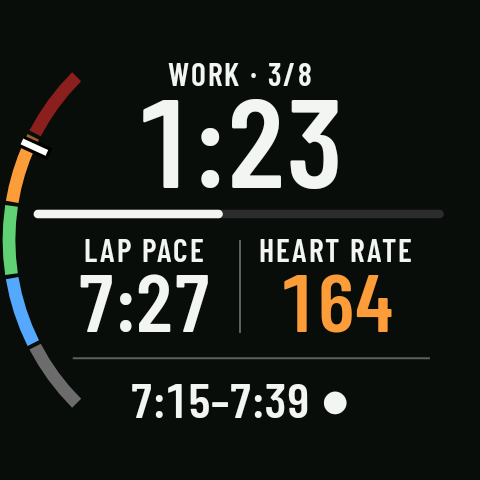
With a workout, the first data page is the intervals page:
- At the top, the step (“WORK · 3/8”) and, in large type, what’s left of the step (time or distance), with a bar showing your progress.
- In the middle, the workout’s two fields; at the bottom, the target.
- The color tells you how you’re doing: green on target, amber off target but within tolerance, red beyond that. The ● (on target), ▲ (above) or ▼ (below) marker says the same without relying on color.
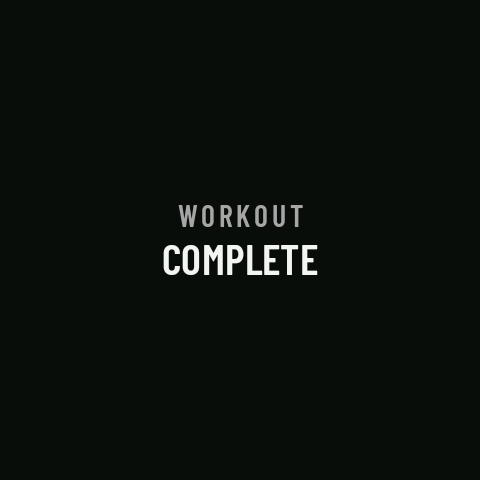
- Without a target, “NO TARGET”. After the last step, “WORKOUT COMPLETE” until the end of the activity.
In Controls, the bottom button becomes Next step, so you can skip to the next step whenever you want (for example, to cut a recovery short). Each step closes a lap, and auto lap is off during the workout.
Target alerts
When the color changes, the watch vibrates (see Vibrations): three short if you’re above the target, one long if you’re below, and one short when you improve (from red to amber, or back on target). In red, it reminds you every 60 s. They work with the screen off. You can turn them off in the sport’s settings, Laps and alerts › Target alerts, or for a single activity in This activity › Vibrations. A zone target needs your max heart rate in your profile (see Heart rate zones and max heart rate): without it, the watch can’t judge the target and doesn’t alert you.