Watch and phone: two apps
RawPace is two apps that work together: the watch app records your activity and shows you the data; the phone app is where you set everything up and where your activities land when you finish.
What the watch does
The watch is in charge during the activity. It records on its own, even if your phone is switched off or left at home: GPS, heart rate, elevation, laps and pauses are all stored on the watch, and the activity goes to your phone once the two are back in range.
On the watch home screen you choose what you’re about to do before you tap START:
- The sport (the row shows its name, e.g. “Running”, with its screens underneath: “Default screens” if they’re the factory ones): the sport you record with (and so which screens and settings are used). Coming in 0.3
- Intervals: an interval workout, if you want to do reps.
- Route: a GPX route to follow, with turn alerts and off-route alerts.
- Reminders: a list of reminders (drink, eat…) for this activity. Coming in 0.3
- This activity: changes for your next activity only, without touching your settings.
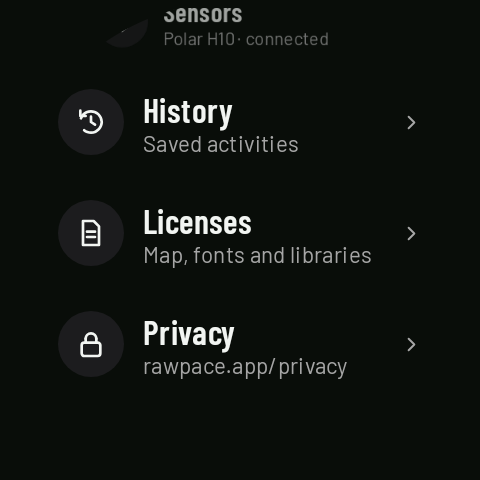
Further down are Maps (the regions on your watch), Sensors (heart rate straps), History, Licenses and Privacy. At the very bottom of the list is the watch app’s version.
Screens, workouts, routes, maps and settings are prepared on the phone; on the watch you just pick them (and pair your strap).
What the phone does
The phone app is where you set up everything the watch uses:
- Sports: the data screens for each sport and its settings (laps, alerts, map, screen…).
- Workouts: interval workouts and reminder lists. Coming in 0.3
- Maps: map regions for offline use, and GPX routes.
- History: all your activities, with their details, map and charts.
- Settings: your profile, units, alerts, appearance, backup, and the connections to Health Connect, Strava and Runalyze.
Settings reach the watch by themselves within a second or two, with no save button; screens are saved with Save screen, and workouts, maps and routes go over with Send to watch.
Installing both
Each app is installed from Google Play on its own device: the phone app from the phone, and the watch app from the watch itself (or from the Play listing on your phone, choosing the watch as the device to install on).
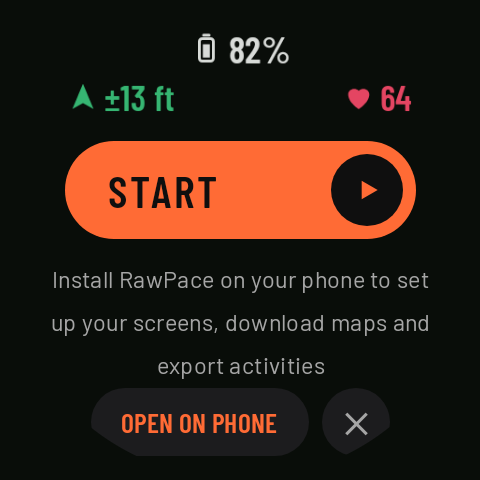
- If the watch can’t find the phone app, it tells you on the home screen (“Install RawPace on your phone to set up your screens, download maps and export activities”) with an OPEN ON PHONE button that opens the Play listing on your phone.
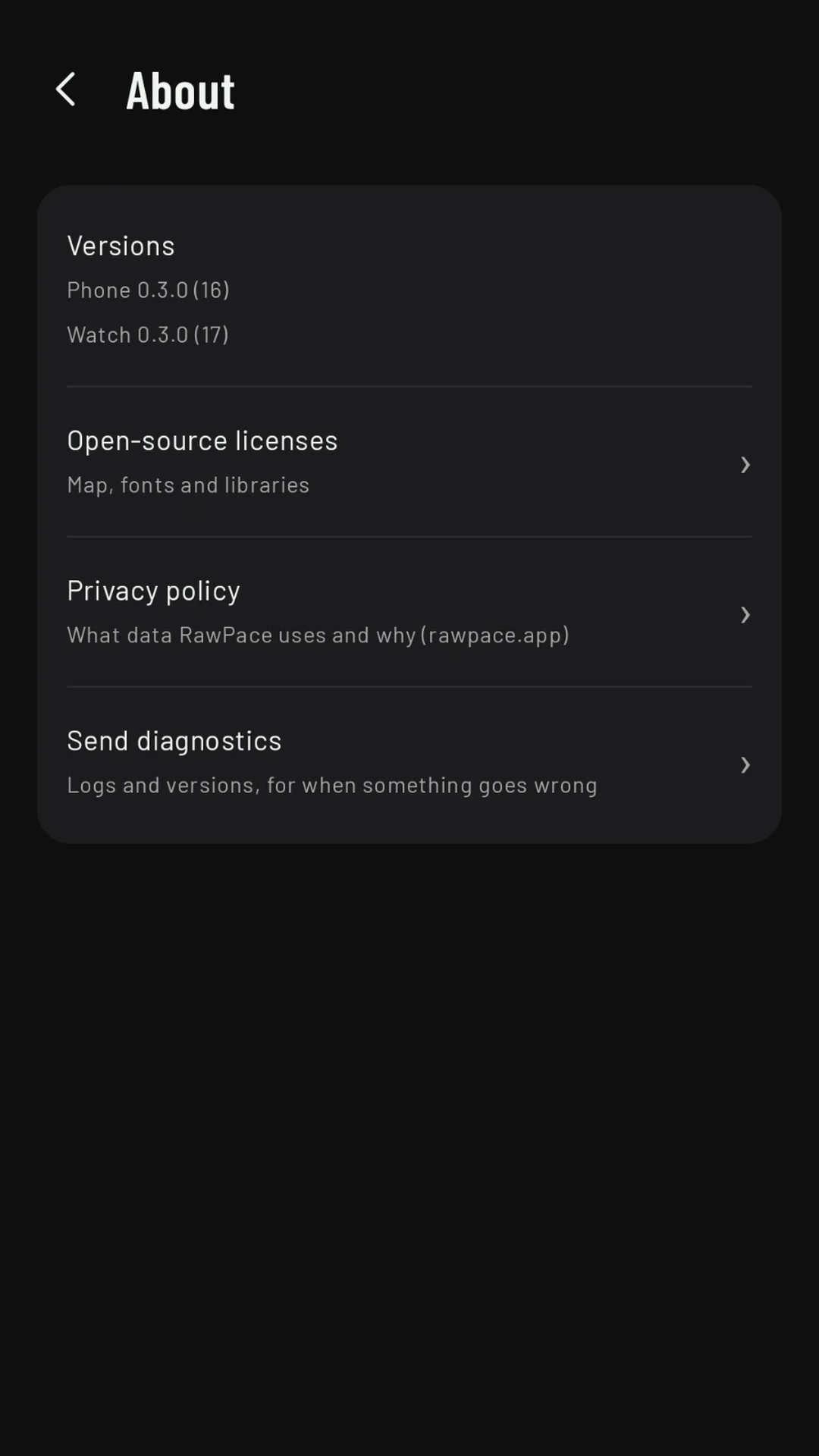
- The phone, on the other hand, doesn’t warn you if the watch app is missing: you’ll notice because the watch never gets anything, and Settings › About › Versions shows “Watch: no data”. If that happens, check that RawPace is installed on the watch and that the watch is connected to your phone.
To see which version you have of each: on the watch, at the bottom of the home screen; on the phone, in Settings › About › Versions, which shows both the phone version and the version on the connected watch. It’s the first thing we’ll ask if you report a problem.
When updating, update the phone app first and then the watch app; then open the phone app once so it sends the new settings to the watch (see Sports). Coming in 0.3
Want to try RawPace before everyone else? The tester guide explains how to join the test on Google Play.