Laps
A lap is a section of your activity with its own data (time, distance, pace, heart rate…), so you can compare how you’re going.
Automatic or manual
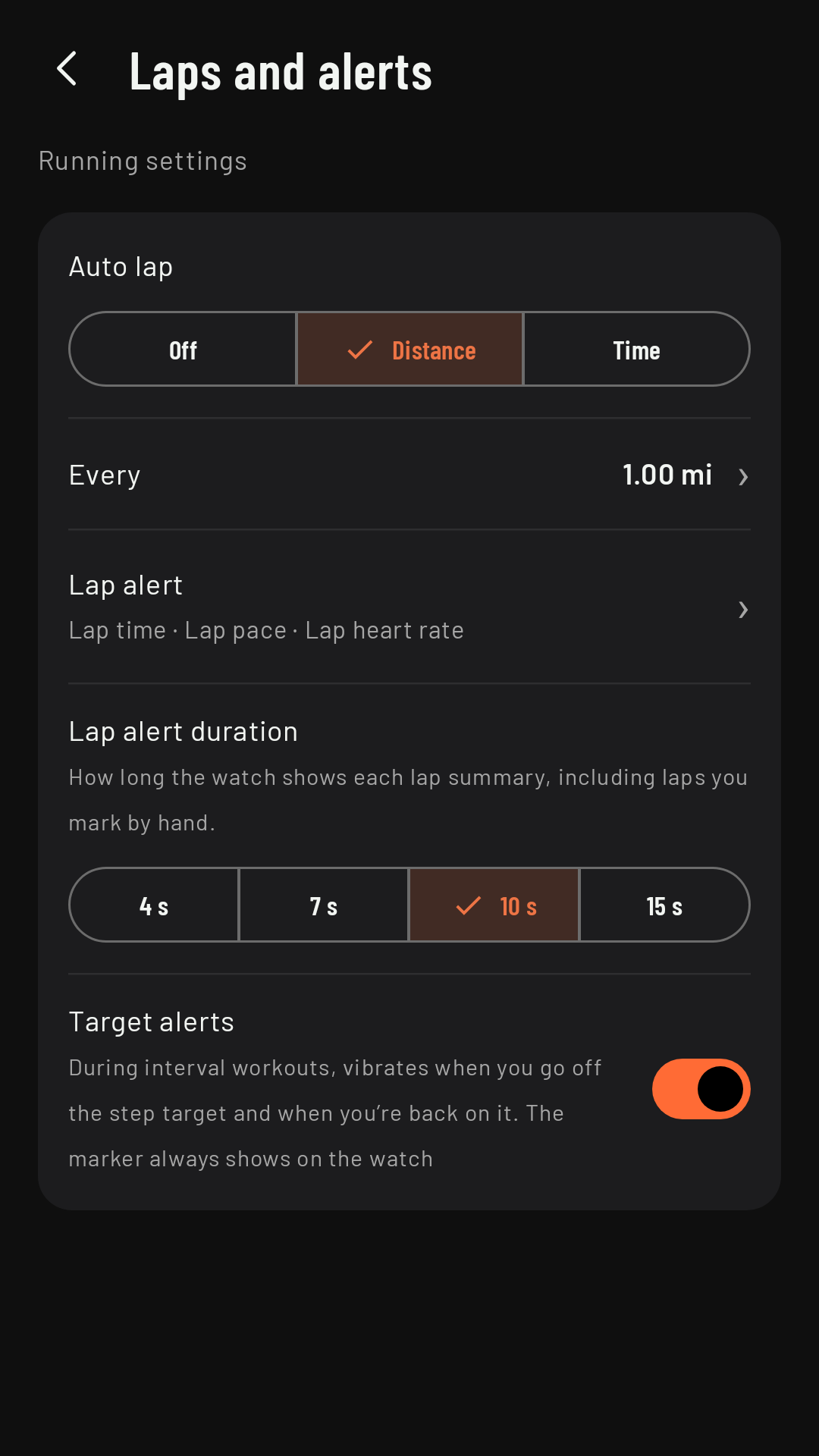
- Automatic, by distance or by time: in the sport’s settings, Laps and alerts › Auto lap (Off, Distance or Time) and Every (from 0.1 to 100 km or mi, or from 1 to 600 min). By default, every 1 km (1 mi) for running and hiking, and every 5 km (5 mi) for cycling.
- Manual, with Lap in Controls, whenever you like.
During an interval workout, each step closes its own lap and auto lap is suspended until the workout ends.
The lap summary
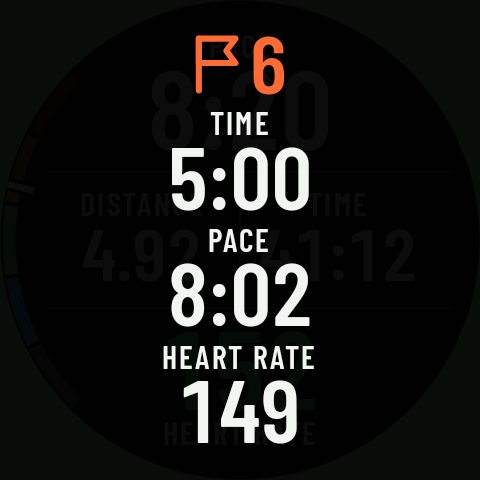
When a lap ends, the watch vibrates and shows “⚑ N” (the lap number) over the page, with up to three fields for that lap in large type with their name above, as they stood when it closed. With the Color style, each field is in its own color. Coming in 0.3
It stays on screen for as long as you set in Laps and alerts › Lap alert duration: 4, 7, 10 (the factory setting) or 15 seconds, also for laps you mark by hand. If a turn or off-route alert comes up at that moment, the alert wins: the summary isn’t drawn while it shows, and its time keeps running underneath.
You choose the fields in Laps and alerts › Lap alert (it appears when auto lap is on); by default:
| Sport | Fields in the alert |
|---|---|
| Running | Lap time · lap pace · lap heart rate |
| Cycling | Lap time · lap distance · lap heart rate |
| Hiking | Lap time · lap pace · ascent |
If you choose battery, it shows its value at that moment (“73%”). When hiking, the ascent in the alert is the total for the activity, not for the lap.
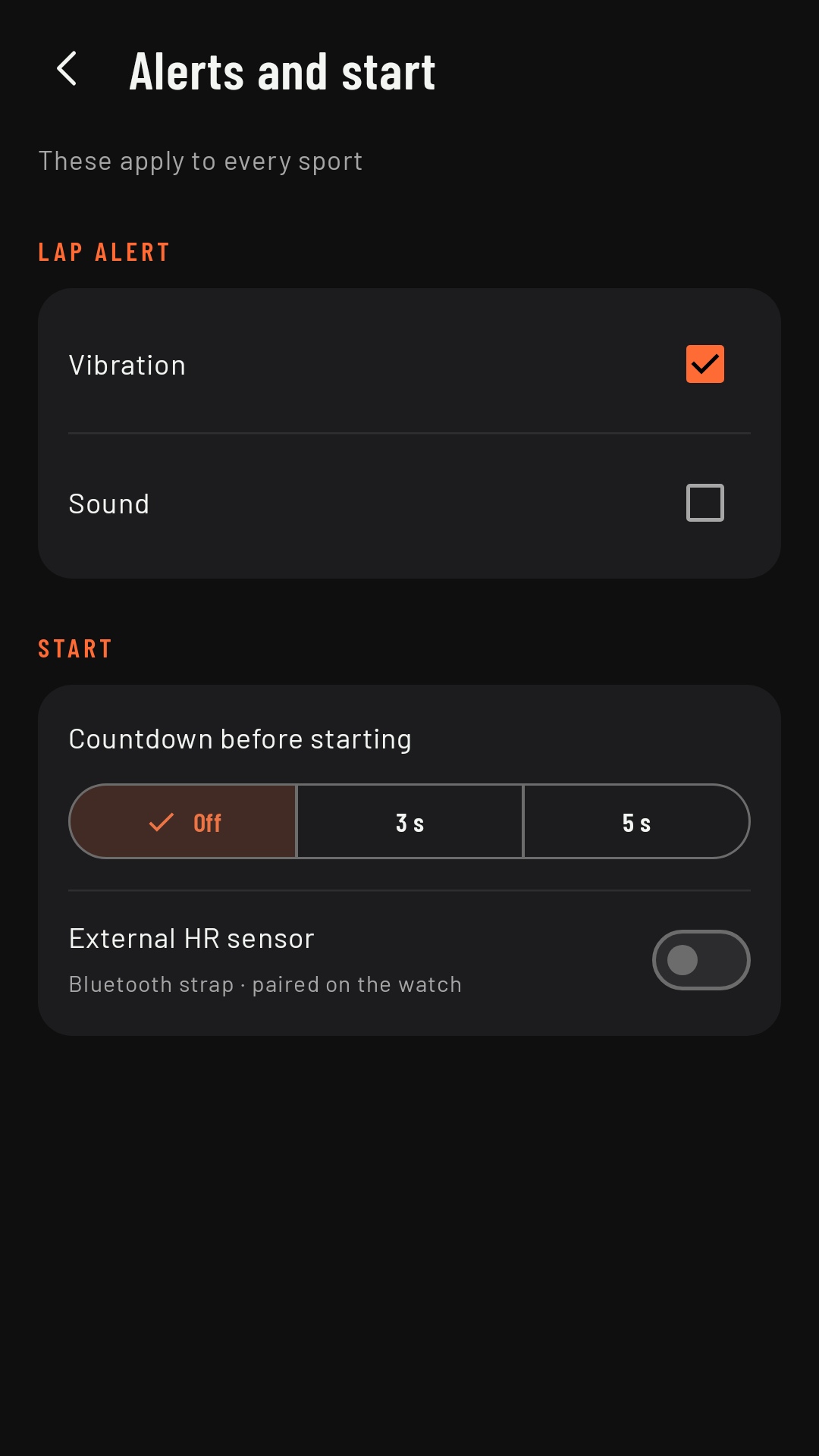
The alert’s vibration and sound are set on the phone, in Settings › Alerts and start. The sound respects the watch’s silent mode and plays at the notification volume. Coming in 0.3