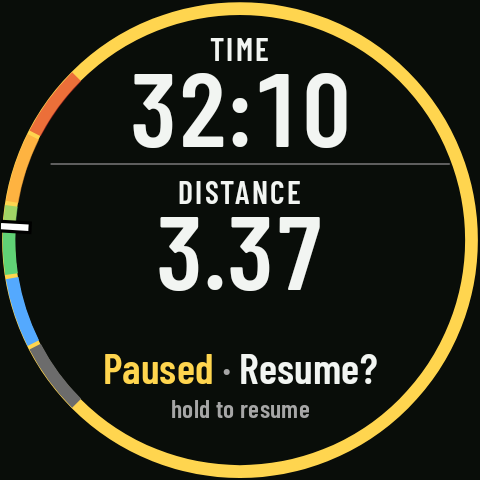
Stop alerts
Coming in 0.3Since RawPace doesn’t pause on its own, it alerts you about the two classic slip-ups: you’ve been stopped for a while without pausing, or you’ve set off again with the activity still paused.
If you’re stopped without pausing
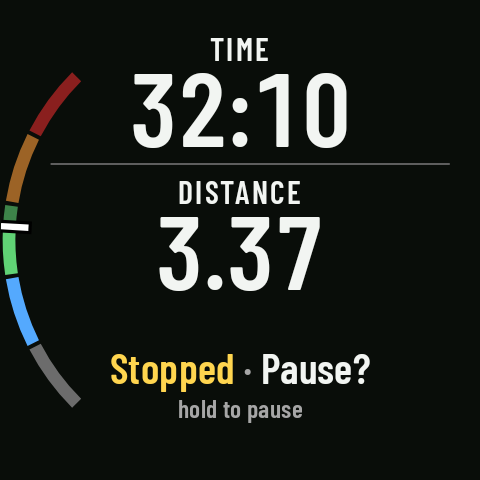
If you’ve been stopped for a while with the activity running (about 30 s when running, 1 min on the bike, 1.5 min on foot), the watch vibrates and beeps to ask whether you want to pause. With the watch on silent or Do Not Disturb, it only vibrates. It doesn’t alert you during an interval workout (stopping during a recovery is normal).
Turn it on in the sport’s settings, Advanced › Pause › Alert me when I’m stopped. By default it’s on for running, trail running and cycling (MTB and gravel too), and off for hiking and walking, where stopping to take in the view is part of the outing.
If you move while the activity is paused
If the activity is paused and you start moving (more than 30 m, or 50 m on the bike, for a few seconds: at walking pace on foot, brisk walking pace when running, over 10 km/h on the bike), the watch vibrates and beeps with “Paused · Resume?”. It’s the most expensive slip-up: the next few kilometers aren’t recorded until you resume.
Turn it on in Advanced › Pause › Alert me if I move while paused, on by default for every sport. While it’s on, GPS keeps working for the whole pause so it can alert you; if you turn it off, GPS switches off after 3 minutes of pause, which saves battery on long stops.