Current pace and speed
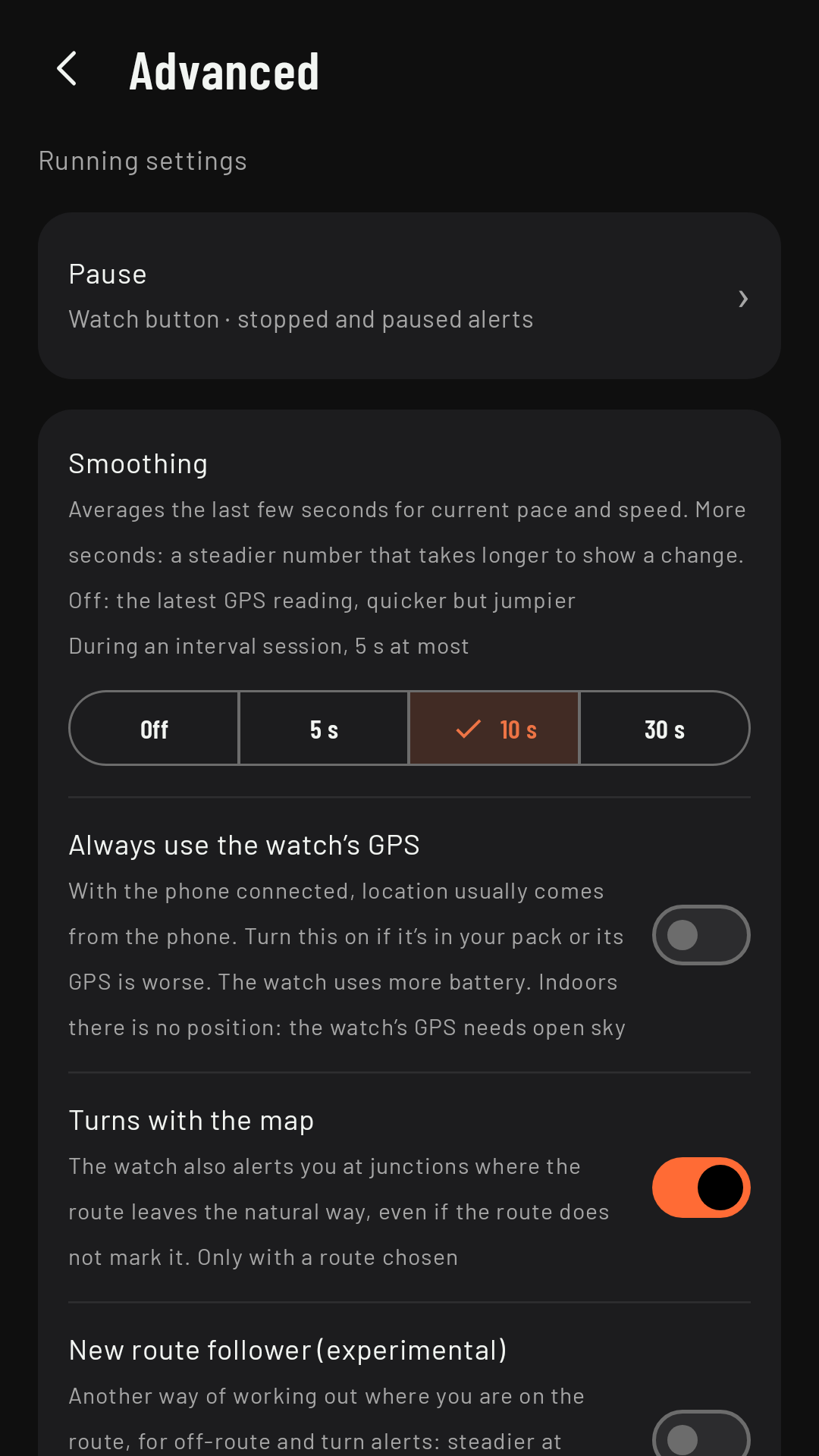
Current pace and current speed are an average over the last few seconds, so the number stays steady without lagging too far behind. How many seconds get averaged is set per sport.
Why it’s smoothed
GPS gives a position every two seconds (every five when hiking or walking), each a few meters off. If pace came from the last fix alone, it would jump from 4:30 to 5:40 and back without you changing a thing. Averaging over a few seconds keeps the number still until you really change pace; the trade-off is that it takes those few seconds to show a change.
The smoothing setting
In the sport’s settings, Advanced › Smoothing: Off, 5 s, 10 s or 30 s.
| Sport | Factory setting |
|---|---|
| Running and Trail running | 10 s |
| Hiking and Walking | 30 s |
| Cycling, MTB and Gravel | 5 s |
With Off you see the latest GPS reading as it comes: more responsive, but jumpier. During an interval workout, for running and cycling, smoothing never goes above 5 s, so the pace changes in each rep show up straight away.
In 5-second steps
Coming in 0.3On foot (running, trail running, hiking and walking), current pace moves in 5-second steps per mile (or per km): 8:15, 8:20, 8:25… And it doesn’t switch to the next step until you’re past it by 2 seconds, so it doesn’t flicker between two numbers. A big change shows straight away. Average pace and lap pace, speed and pace on the bike stay to the second, and what’s recorded and exported isn’t rounded.
When it shows “--”
- If no new GPS position arrives within 4 s (10 s when hiking or walking), pace and speed show “--” instead of freezing on the last value.
- If you’re stopped (below about 3 km/h when running or cycling; 2 km/h on MTB; and 1.5 km/h when hiking, walking or trail running), pace and speed show “--”: a pace of 40:00 /km tells you nothing.
What gets recorded (distance and your track) doesn’t depend on this setting: it only changes the number you see and the interval target alert.